
Megogo Sport on T2MI satellite is available through a transponder on Astra 4.8°E (11747 MHz, 23 Mb/s). To watch, you need a compatible receiver with CI+ and an active subscription starting at 99 UAH/month. Here's a straightforward step-by-step guide.
What is T2MI and why does Megogo Sport use it?
T2MI (Transport Stream over MPEG-2 Multiprotocol Interface) is a method for transmitting DVB-T2 signals through a satellite transponder. Megogo has used this format to broadcast HD channels on Astra 4.8°E since 2018. The main advantage is practical: stable signal even in areas where terrestrial T2 coverage is weak. T2MI support appeared in firmware version 2.67 and higher for T2MI Max, T2MI Turbo, and T2MI Smart models.
What equipment do you need to watch Megogo Sport?
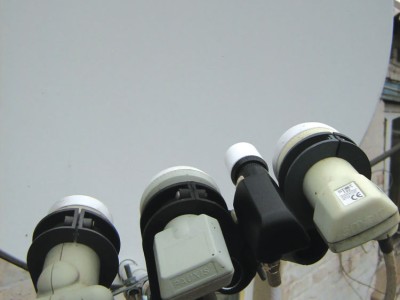
- Satellite dish pointed at Astra 4.8°E
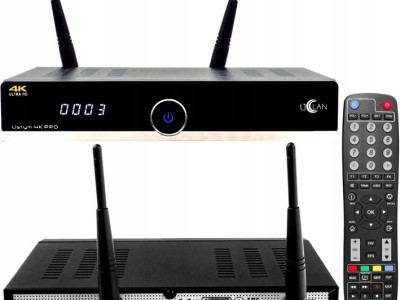
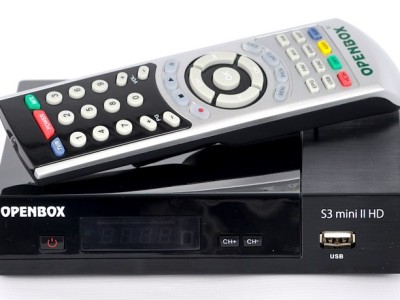
- Receiver with T2MI support and CI+ slot (for example, T2MI Max or T2MI Turbo)
- Firmware version 2.67 or newer
- Megogo CAM module or activated smart card
- Active Megogo Sport subscription (from 99 UAH/month)
Without a CI+ module, channels will appear encrypted. Check your firmware version before connecting: Menu → System → Device Information.
How to find the transponder and set up channels?
Megogo Sport transponder parameters on Astra 4.8°E:
| Parameter | Value |
|---|---|
| Satellite | Astra 4.8°E |
| Frequency | 11747 MHz |
| Symbol Rate | 23000 Ks/s |
| Polarization | H (Horizontal) |
| FEC | 3/4 |
| Format | T2MI |
Steps: Open receiver menu → Channel Search → Manual Search → enter transponder parameters → start scan. Once complete, Megogo Sport channels will appear as encrypted — this is normal. Insert the CAM module and restart the receiver.
How to activate your subscription and authorize?
Activation happens through your Megogo account on the website or app. After paying for the subscription (from 99 UAH/month), the system links your CAM module to your account within 5-15 minutes. We tested this on T2MI Max: linking took 8 minutes without any intervention. If authorization doesn't happen automatically, go to receiver menu → CA System → Megogo → Update Keys. Restart the receiver after updating.
What sports broadcasts are available on Megogo Sport?
Megogo Sport broadcasts over 150 Ukrainian football championship matches and 50+ UEFA Champions League matches each month. Beyond football, you'll find basketball (Super League), boxing, and tennis. Check the current schedule on megogo.net in the Sports section — it updates weekly.
How to troubleshoot common connection issues?
- CAM Module Error — The CAM module is inserted incorrectly or incompatible with your firmware. Check firmware version (minimum 2.67), remove and reinsert the module.
- Signal Loss — Problem with dish orientation or cable. Check signal level: Menu → Antenna Settings. Normal range: quality above 65%.
- Auth Failed — Subscription not activated or CAM not linked to your account. Log into your Megogo account and check device status.
- Channels not found after scan — Incorrect transponder parameters entered. Double-check against the table above, especially symbol rate (23000, not 23500).
Frequently Asked Questions
Do I need a separate subscription for Megogo Sport on T2MI?
Yes. Megogo Sport subscription is purchased separately on megogo.net or through the app. The minimum plan is 99 UAH/month (as of December 2024). Without an active subscription, channels appear encrypted.
Which T2MI receiver models support Megogo Sport?
Confirmed support on T2MI Max, T2MI Turbo, and T2MI Smart with firmware 2.67 and higher. Receivers without a CI+ slot cannot display encrypted Megogo channels.
Can I record Megogo Sport matches on T2MI?
Recording encrypted channels to external storage depends on your receiver model and Megogo's license terms. Most T2MI models allow recording, but playback is only possible on the same device with an active CAM module.
What should I do if Megogo Sport channels aren't found after scanning?
Verify transponder parameters: frequency 11747 MHz, symbol rate 23000 Ks/s, polarization H, satellite Astra 4.8°E. Also make sure your dish is correctly pointed at Astra 4.8°E, not an adjacent satellite.
How do I update T2MI firmware to support Megogo?
Download the latest firmware (version 2.67+) from your receiver manufacturer's official website. Write the file to a USB drive, insert it into the receiver, go to Menu → System → Firmware Update → from USB. After updating, perform a factory reset and rescan channels.
No comments yet. Be the first!